
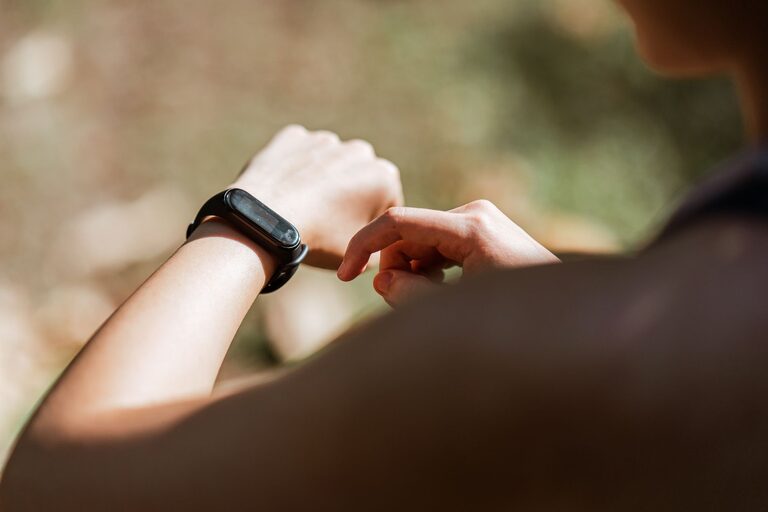
Fitness trackers can make everyday movement easier to understand and more enjoyable. These small devices can count steps, measure active time, record workouts, and remind you to move. Many also track sleep, heart rate, and other information.
For adults over 50, the most useful tracker is not necessarily the one with the longest feature list. A good choice is one that feels comfortable, is easy to read, and supports simple habits you can maintain.
This beginner’s guide explains how to choose and use a fitness tracker with confidence.
What Is a Fitness Tracker?
A fitness tracker is a wearable device, usually worn on the wrist, that records activity throughout the day. It connects to a smartphone app, where you can review your information and follow changes over time.
Common features include:
– Step counting
– Distance tracking
– Active minutes
– Workout recording
– Heart rate information
– Sleep tracking
– Reminders to move
– Watch, timer, and alarm functions
– Notifications from a smartphone
Not every tracker includes all these features. Basic models may focus on steps and activity, while more advanced watches offer maps, music, and multiple workout modes.
The goal is not to collect as much data as possible. The goal is to use a few helpful features to support your daily routine.
How to Choose the Right Tracker
Focus on Ease of Use
Look for a device with a clear screen, simple menus, and easy-to-read text. A complicated tracker may have many impressive features, but those features are not helpful if they are difficult to find.
Consider whether you can:
– Read the display in bright and low light
– Move through menus without confusion
– Start and stop a workout easily
– Understand the information in the companion app
– Charge the device without assistance
If possible, try the tracker in a store before buying it. Check how the band feels and whether the screen is comfortable to view.
Consider Comfort and Fit
You may wear the tracker for many hours each day, so comfort matters. Choose a soft, adjustable band that does not feel too tight or too loose.
A tracker should stay in place during normal activities without causing discomfort. Some people prefer a lightweight band, while others like a larger watch-style device with a bigger screen.
Check whether replacement bands are available. This can be useful if the original band wears out or you want a different style.
Check Battery Life
Battery life varies from one device to another. Some trackers need charging every day, while others can last a week or longer.
Think about your routine. If you do not want to charge the device often, choose one with longer battery life. A simple charging habit can help, such as plugging it in while you take a shower or prepare for bed.
Make Sure It Works With Your Phone
Before buying, confirm that the tracker works with your smartphone. Some devices work with both major mobile platforms, while others are designed for only one.
You may also need to install an app and create an account. Check whether the app is easy to use and whether it gives you control over privacy settings.
Setting Up Your Fitness Tracker
Once you have chosen a tracker, set it up in a calm, step-by-step way.
1. Charge the Device
Start with a full charge. This gives you enough time to explore the settings without worrying about the battery.
2. Install the App
Download the companion app from your phone’s official app store. Follow the instructions to connect the tracker through Bluetooth.
3. Enter Basic Information
The app may ask for details such as age, height, weight, walking preferences, or usual activity level. Enter information as accurately as you can, but remember that the results are estimates.
4. Adjust Notifications
You do not need to receive every alert. Turn on only the notifications you find useful, such as reminders to move or alerts about a scheduled activity.
Too many alerts can become distracting. You can always change these settings later.
5. Set the Correct Wrist
Many trackers ask whether you wear the device on your left or right wrist. This setting can help the tracker interpret movement more accurately.
Wear the device consistently on the same wrist unless the manufacturer gives different instructions.
Start With Simple Goals
One of the easiest mistakes is setting too many goals at once. A better approach is to begin with one or two simple targets.
For example, you might choose to:
– Take a short walk after breakfast
– Stand and stretch several times during the day
– Record two planned walks each week
– Increase your daily movement gradually
– Reach a personal active-minute goal
Step goals can be useful, but they are not the only way to measure progress. A day with fewer steps may still include valuable activities such as gardening, household tasks, cycling, or strength exercises.
Choose goals that fit your current routine. A goal should encourage you, not make you feel as though you have failed.
Learn the Most Useful Features First
Step Counts
Steps provide a general picture of how much you move during the day. They are most useful when you compare your own patterns over time rather than comparing yourself with someone else.
Look at your average over a week instead of focusing on one unusually active or inactive day.
Active Minutes
Active minutes show how much time you spend moving at a faster pace or completing a recorded activity. This can be helpful if your routine includes walking, dancing, swimming, or other forms of exercise.
Workout Modes
You can usually select a workout mode before beginning an activity. This may help organize your records and show details such as time, distance, or pace.
You do not need to record every movement. Use workout modes for activities you want to review later.
Movement Reminders
Movement reminders can encourage you to break up long periods of sitting. Set them at times that fit your day. If a reminder appears while you are busy, you can adjust the schedule rather than turning the feature off completely.
Understand the Numbers
Fitness trackers are useful tools, but their measurements are not perfect. Step counts, calorie estimates, distance, sleep information, and other readings can vary depending on the device and how it is worn.
Use the numbers as general guidance. Focus on patterns and changes over time rather than treating every reading as exact.
Ask yourself:
– Am I moving more often than I was last month?
– Which activities do I enjoy most?
– What time of day makes movement easiest?
– Which goals feel realistic?
– Are the notifications helpful or distracting?
These questions are often more useful than focusing on a single score.
Create a Routine for Checking Your Data
Checking your tracker constantly can become tiring. Instead, choose a regular time to review it, such as once a day or a few times each week.
Look for information that helps you make practical choices. You might notice that you move more when you schedule a morning walk or take regular breaks from sitting.
Keep the process simple:
- Review your activity summary.
- Notice one positive trend.
- Choose one small action for the next day.
- Close the app and continue with your routine.
Protect Your Privacy
Fitness trackers collect personal information, so review the privacy settings in both the device and its app. Use a strong password and install software updates when they are available.
Check which information is shared with other apps or services. You may be able to limit location sharing, notifications, or access to specific data.
Keep It Enjoyable
A fitness tracker should support your lifestyle, not control it. Use it to discover activities you enjoy, celebrate consistency, and build realistic routines.
Try different options, such as walking with a friend, listening to music, exploring a local park, or taking short movement breaks during the day. Progress can be as simple as choosing to move a little more often.
After 50, there is no single correct way to use a fitness tracker. Start with a comfortable device, learn one feature at a time, and focus on habits that fit your life. Over time, the tracker can become a helpful reminder to stay active and pay attention to your daily routine.