
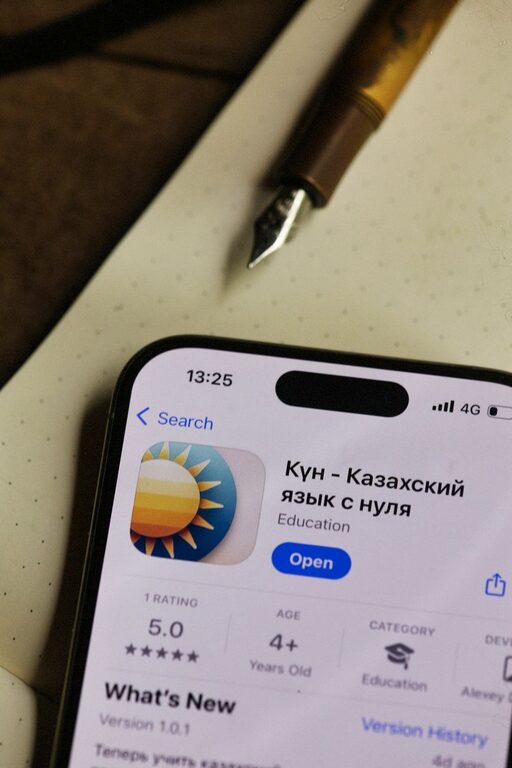
Learning a new skill does not have to mean enrolling in a long course or spending hours with a textbook. Today, many apps offer short lessons, guided practice, quizzes, and projects that make learning more manageable. Whether you want to study a language, improve your creative abilities, or understand a new technology, the right app can help you build a steady routine.
The best learning app for you depends on your goal, schedule, and preferred learning style. Some apps focus on quick daily exercises, while others offer complete courses with videos, assignments, and certificates. Here are several beginner-friendly options and tips for making the most of them.
What Makes a Learning App Beginner-Friendly?
Before choosing an app, look for features that make the learning process clear and encouraging. A beginner-friendly app often includes:
– Simple lessons that build gradually
– Clear instructions and examples
– Practice activities with immediate feedback
– Progress tracking
– Flexible schedules
– Opportunities to review earlier material
– A helpful community or support section
It is also useful to choose an app that matches your goal. For example, a language app may be ideal for daily vocabulary practice, while a course platform may be better for learning graphic design or computer programming.
1. Duolingo for Language Learning
Duolingo is a popular starting point for people who want to learn a new language. Its lessons are divided into short activities that cover vocabulary, sentence structure, listening, and reading. The game-like format uses points, streaks, and levels to encourage regular practice.
The app works well for beginners because lessons start with basic words and phrases. You can usually complete a session in just a few minutes, making it easier to fit language practice into a busy day.
Best for
– Learning common vocabulary
– Building a daily study habit
– Practicing basic reading and listening
– Exploring a language before taking a longer course
For stronger results, combine app lessons with other activities, such as listening to simple podcasts, reading short stories, or practicing conversations.
2. Khan Academy for Academic Skills
Khan Academy provides free lessons in subjects such as mathematics, science, economics, history, and computing. Its courses commonly include short videos, written explanations, and practice exercises.
This app is useful for learners who want to review school subjects or understand a topic from the beginning. Lessons are generally organized in a logical order, so you can work through foundational ideas before moving to more advanced material.
Best for
– Reviewing basic math
– Understanding science concepts
– Studying independently
– Filling gaps in previous learning
If a topic seems difficult, use the practice exercises to identify specific areas that need more attention. Taking notes in your own words can also make the information easier to remember.
3. Coursera for Structured Courses
Coursera offers courses from universities and organizations in areas such as business, technology, writing, data, and personal development. Many courses include video lessons, reading materials, quizzes, and assignments.
Because the platform offers more structured programs, it can be a good choice when you want to study a subject in depth. Some content may be available at no cost, while other courses or certificates may require payment. Check the details of each course before enrolling.
Best for
– Following a planned curriculum
– Learning professional and academic subjects
– Completing guided projects
– Exploring certificates and longer programs
Beginners should look for course descriptions that include terms such as “introductory,” “beginner,” or “no prior experience required.” Starting with a shorter course can help you decide whether the subject is a good fit.
4. Canva Design School for Creative Projects
Canva is widely used to create presentations, posters, social media graphics, invitations, and other visual projects. Its learning resources introduce basic design ideas through templates, examples, and tutorials.
You do not need previous design experience to begin. The app provides ready-made layouts, color combinations, fonts, and visual elements that help you create polished work while learning how design choices affect readability and appearance.
Best for
– Learning basic graphic design
– Creating presentations
– Making simple digital artwork
– Practicing layouts and visual communication
Start by recreating a simple design you like. Then change the colors, spacing, and type styles to see how each adjustment affects the final result. This hands-on approach can be more useful than simply reading about design principles.
5. Mimo for Coding Basics
Mimo introduces coding through short, interactive exercises. It covers beginner topics in areas such as web development and programming. Instead of asking learners to read long explanations before practicing, the app allows them to write and test small pieces of code.
This approach can make coding feel less intimidating. You can learn basic ideas such as variables, commands, and page structure while working through guided examples.
Best for
– Exploring coding for the first time
– Practicing short lessons on a phone
– Learning basic web concepts
– Building confidence before using larger tools
Coding is easier to understand when you create small projects. After learning a few basics, try building a simple web page, calculator, or checklist. Even a small finished project can reinforce what you have learned.
6. Skillshare for Creative and Practical Skills
Skillshare offers classes in subjects such as illustration, photography, writing, video production, crafts, and entrepreneurship. Many classes are organized around a project, giving learners something practical to complete.
Project-based learning is especially helpful for creative skills because it turns general ideas into action. Rather than only watching a lesson, you can practice the technique and review the results.
Best for
– Exploring creative hobbies
– Learning through projects
– Finding inspiration
– Trying different instructors and teaching styles
Choose one class that matches your current goal instead of signing up for several at once. Completing one small project is often more valuable than starting many courses and finishing none.
7. YouTube for Flexible Tutorials
YouTube is not a traditional learning platform, but it contains tutorials for nearly every common hobby and skill. You can find beginner lessons about cooking, photography, home projects, music, fitness, software, and more.
The main challenge is choosing reliable, well-organized content. Look for creators who explain steps clearly, provide examples, and organize videos into playlists. Reviews, comments, and recent updates may also help you decide whether a tutorial is useful.
Best for
– Learning visual skills
– Following demonstrations
– Comparing different teaching styles
– Finding free introductions to new topics
Use a notebook or digital document to record important steps. This prevents you from repeatedly searching for the same information.
How to Choose the Right App
Start by writing down exactly what you want to learn. “Learn design” is a broad goal, while “create a simple presentation” is more specific and easier to measure.
Then consider the following questions:
– How much time can you practice each week?
– Do you prefer videos, reading, or interactive exercises?
– Do you want a free resource or are you open to paid features?
– Would you rather follow a course or explore independently?
– Can the app help you create something practical?
Try one app for at least a week before switching to another. Changing platforms too often can make learning feel harder than it needs to be.
Tips for Building a Consistent Learning Habit
Consistency matters more than long study sessions. Set a small, realistic target, such as practicing for 10 minutes each weekday. Connect the habit to something you already do, such as studying after breakfast or during a commute.
Keep your learning active by answering questions, completing exercises, and creating small projects. Review older lessons regularly, since repetition helps strengthen your understanding.
Finally, be patient with yourself. Every new skill includes unfamiliar terms and occasional mistakes. A beginner-friendly app can provide structure, but progress comes from returning regularly and applying what you learn.